


VisualAstro


VisualAstro brings professional-grade astrology to your Apple devices. Built for iPhone, iPad, and Mac*, it syncs seamlessly across all your devices via iCloud. Behind its intuitive interface lies the precision of Swiss Ephemeris, an offline database of 7M+ locations, and full support for custom coordinates from 0-4000 AD. Visually-oriented, it offers an interactive user-friendly interface, allowing to easily access complex structured data with minimal effort.


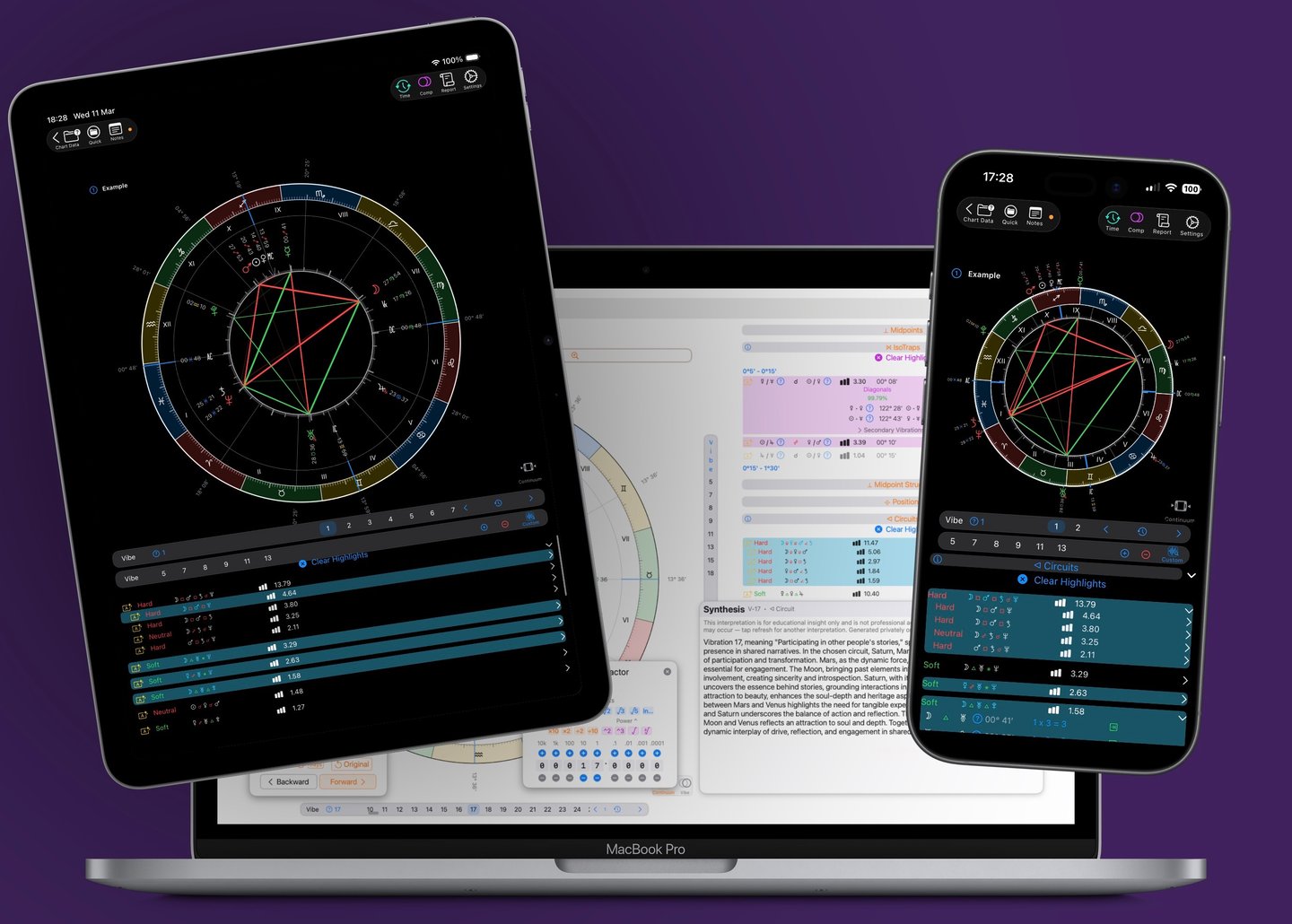
* Requires Apple m-series or a18Pro processor
User-Oriented
Time is a scarce resource
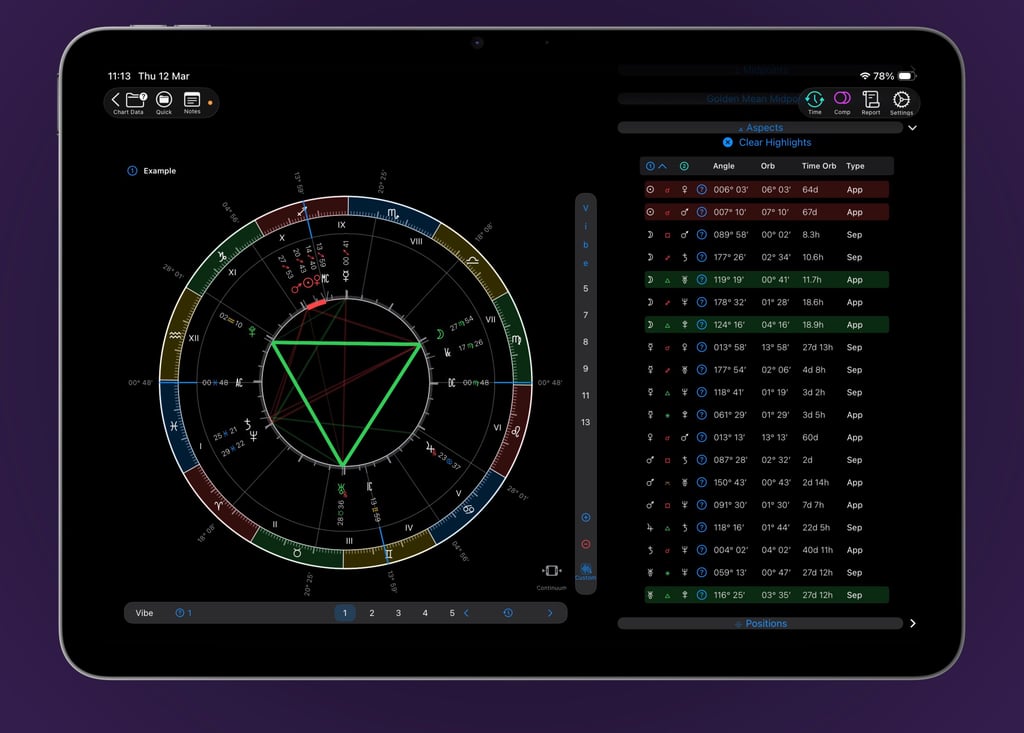
VisualAstro handles the complex calculations so you can focus on what truly matters: interpretation. With smart data organization and dynamic insights, you’ll instantly spot the defining features of any chart—and uncover the hidden details that make all the difference. With just a tap on the screen, you can highlight anything on the chart.
Vibrational Astrology
Software developed with V.A. in mind
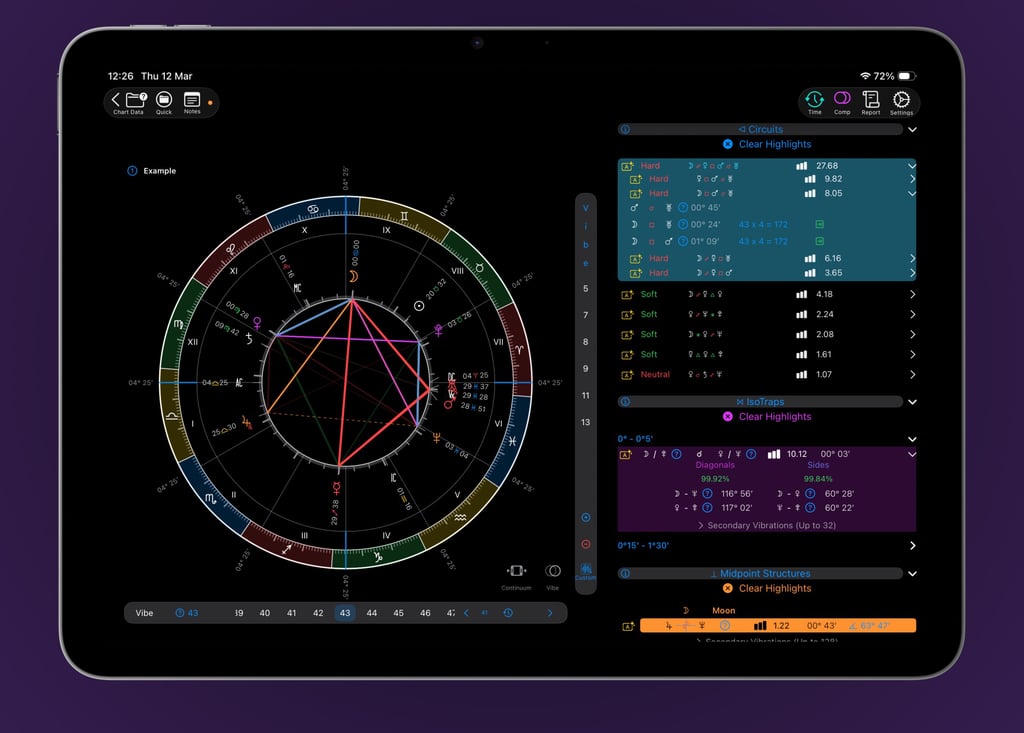
Vibrational Astrology (VA) unlocks a new dimension of chart analysis, but it relies on precise mathematical data that only advanced software can provide. VisualAstro delivers this precision instantly, offering detailed calculations for the core components of VA: circuits, isotraps, and midpoint structures. You can then expand, explore, and visually highlight any of these structures directly on the chart, working with vibrations as integers or decimals for complete analytical freedom.
Navigate vibrations effortlessly with intuitive swipe gestures—VisualAstro even keeps a history so you can always retrace your steps. Save your favorite vibrations as shortcuts for instant access, or inspect the natal placements underlying any vibrational chart. For deeper exploration, the Vibration Factor manager lets you jump to higher vibrations, experiment with mathematical constants, and perform numerical operations with ease.
What does this mean...?
Clear information
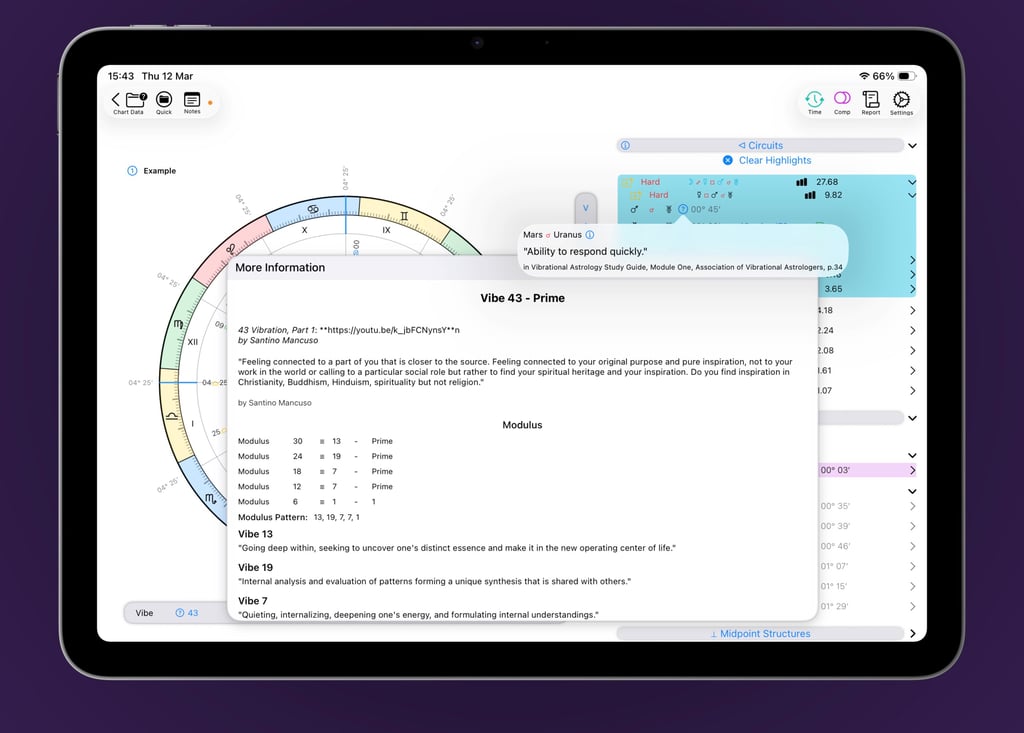
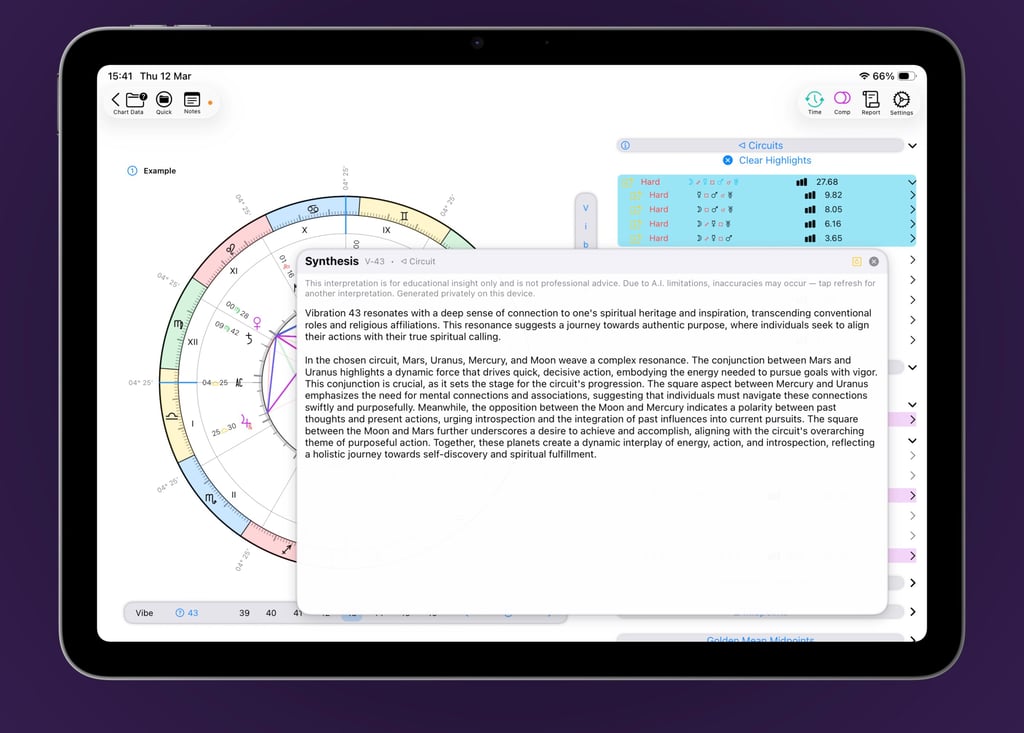
VisualAstro is built on a solid foundation: Vibrational Astrology (VA) is supported by ongoing research, a community of practitioners, and certified Study Guides. We've integrated these trusted resources throughout the app, providing contextual guidance and validated meanings to inform and enrich every interpretation.
VisualAstro goes a step further: an on-device language model powered by Apple Intelligence©*. It synthesizes curated VA meanings into natural, insightful text—all without sending your data to any online A.I. Complete privacy, uncompromised depth.
For the explorer researchers out there
Reports and graphs
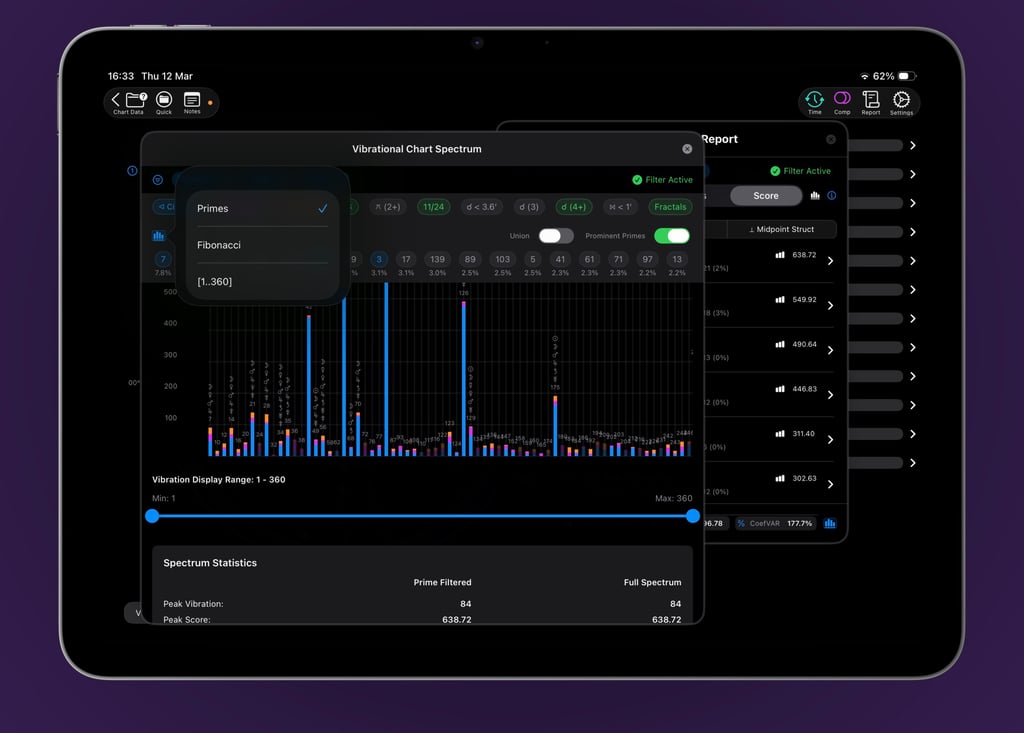
The Vibrational Chart Report transforms raw data into actionable insights. It automatically rates and sorts every vibration, sorted by the most significant ones. You can explore the details behind each rating, filter the results, and see exactly what drives the scores. Then the Spotlight pinpoints critical chart features: quincunxes, 11/24ths, tight conjunctions, multi-planet clusters, and narrow isotraps. All this, and you can even extend the vibration range beyond 360.
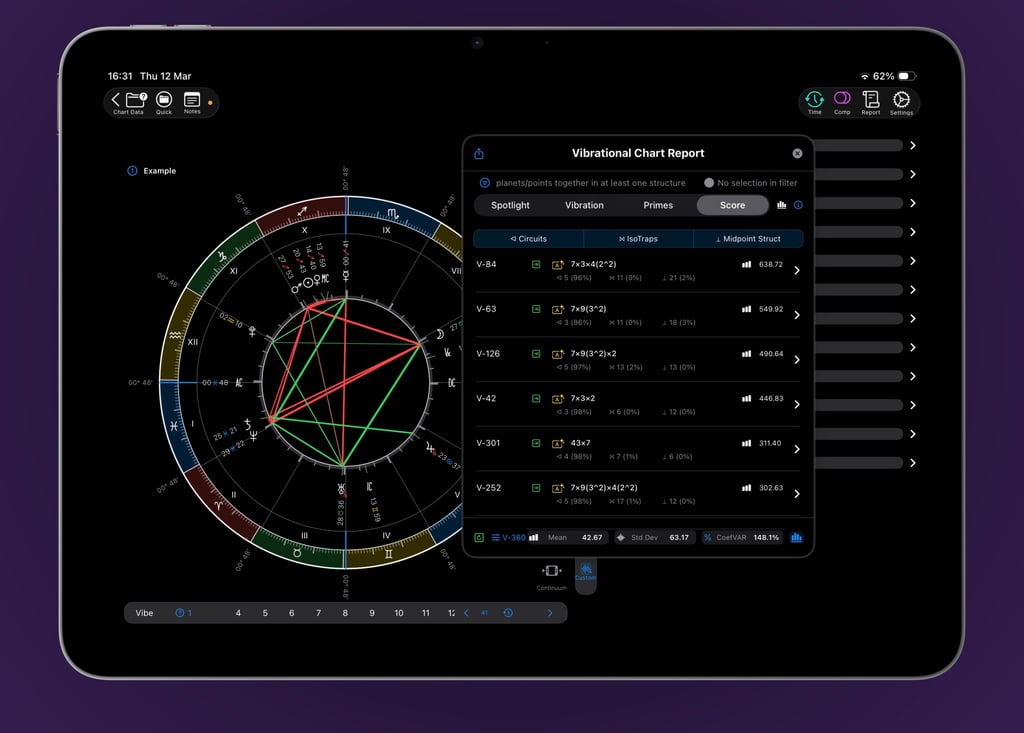
The Vibrational Chart Report comes to life in a dynamic, interactive bar chart. Every rating and vibration is displayed in a clean, compact graph that invites exploration. Tap any bar for deeper insights, apply filters on the fly, or dive into fractals and prominent primes for smart, contextual analysis. This is where the big picture emerges—and your exploration expands.
Comparing charts
Bi-wheels and Davison
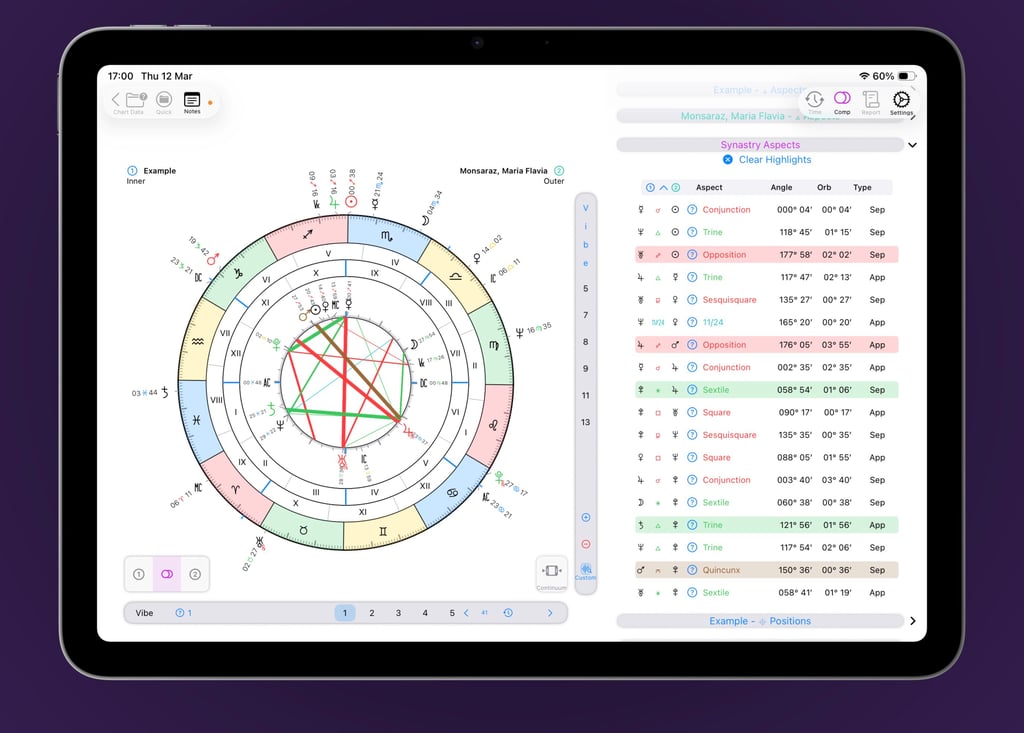
Synastry just got a major upgrade. A single, unified bi-wheel now displays both natal charts and the aspects between them—all in one clean view. Tap to toggle aspects on or off independently, while full reference data remains accessible on the side. Contextual highlighting lets you instantly spot key themes across even the most complex comparisons.
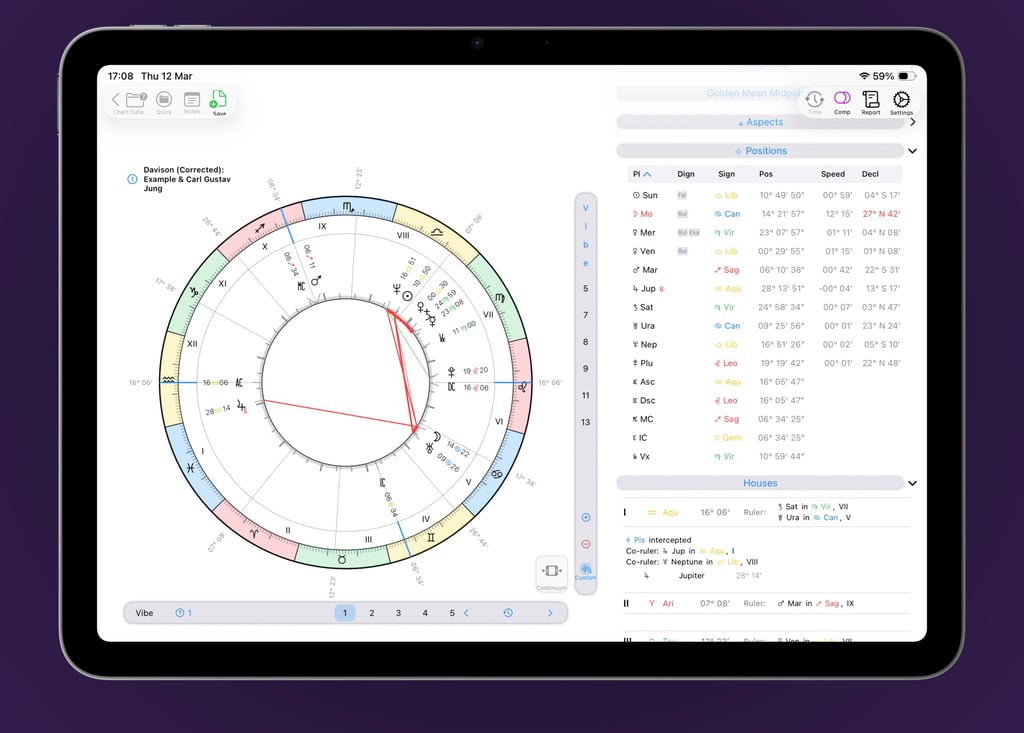
Davison composite charts are just as effortless. Choose from three calculation methods—Uncorrected, Corrected, or Spherical Midpoint—and VisualAstro does the rest. Once generated, every single-chart feature is at your disposal: transits, progressions, vibrational analysis, and more.
Time charts
Transits and Progressions
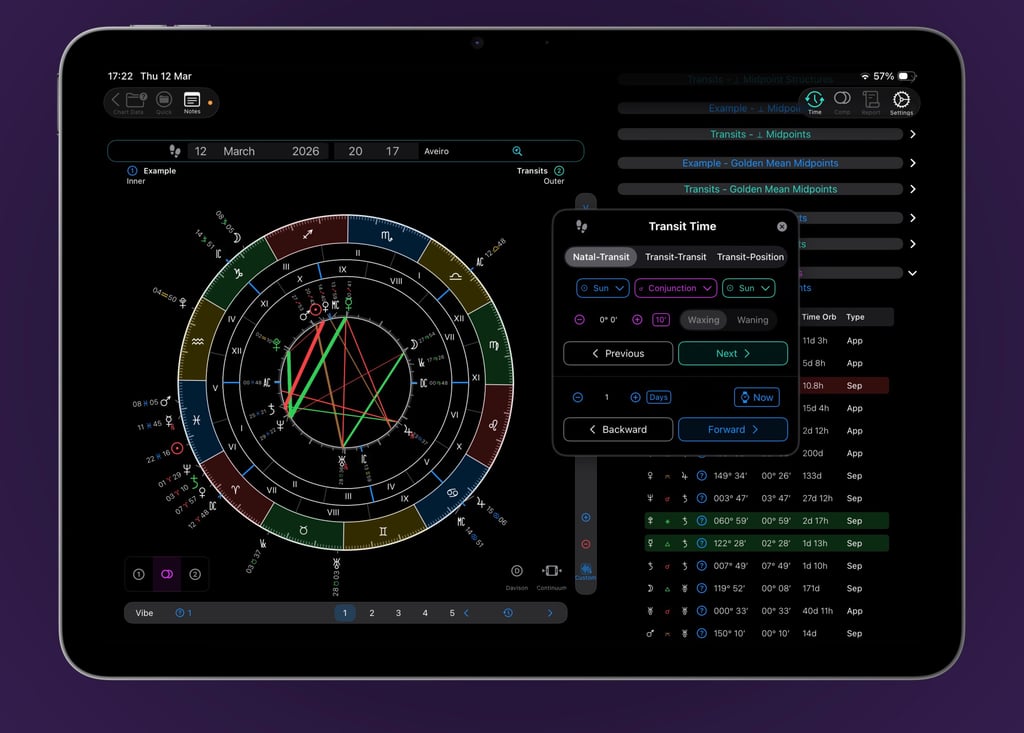
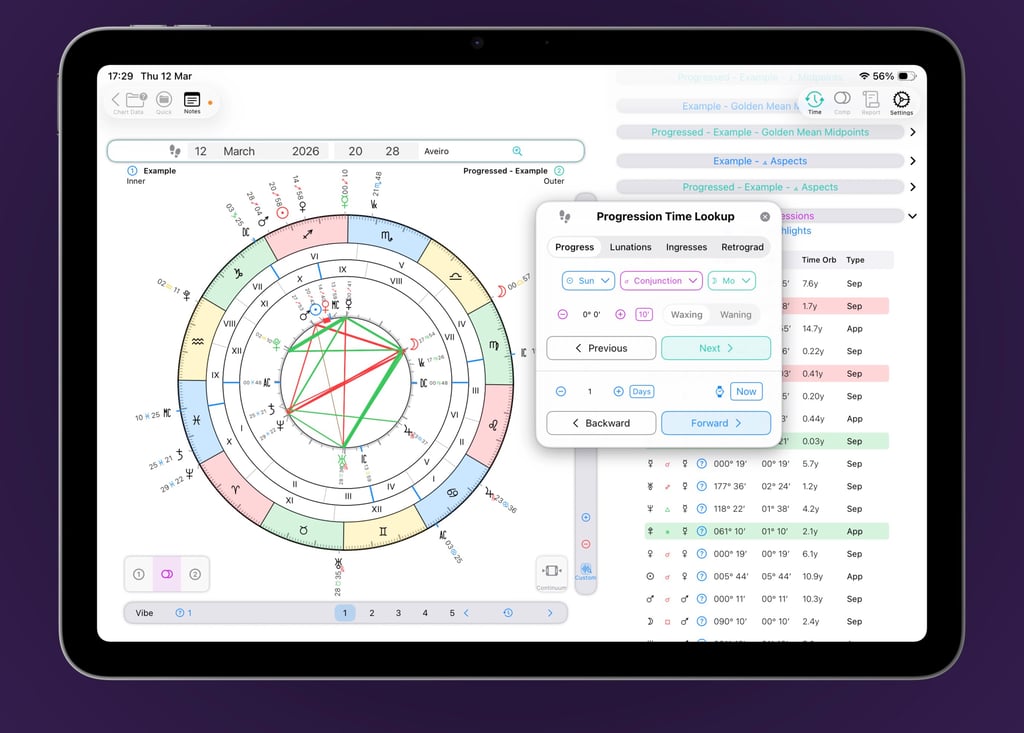
Transits just got more powerful. Beyond the full bi-wheel functionality you already expect, VisualAstro introduces a dedicated transit search tool. Quickly find specific transits—whether Transits-to-Natal, Transits-to-Transits, or Transits to Positions—or step through time dynamically, moving forward or backward by year, month, day, hour, or minute. The Davison chart can also be immediately calculated for transits.
Progressions match that power—and add more. In addition to the same flexible lookup and dynamic time-stepping, you can also search for lunations, ingresses, and retrograde cycles. Everything you expect from transits, now applied to Secondary Progressions.
... and much more
Other highlights
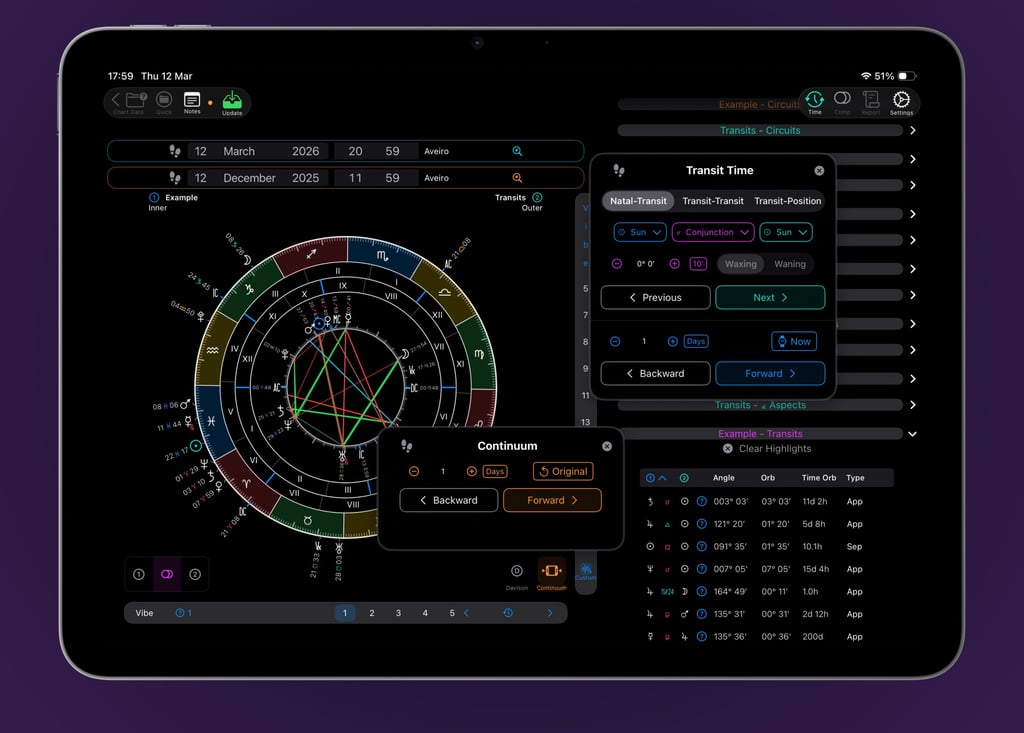
VisualAstro streamlines chart rectification with Continuum feature. Move through time and location data directly from the base wheel, even while working in Transits or Progressions. Adjust parameters, test against events, and update with a single tap. Every vibrational score recalculates in real time—and orange highlights throughout the interface show you're in rectification mode at a glance.
Precision Tools & Celestial Bodies
Fixed Stars & Anticia with conjunction detection
Major Asteroids: Chiron, Pholus, Ceres, Pallas, Juno, Vesta
Uranian Planets
Midpoints list with chart highlights
Calculation & Customisation
Topocentric & True Planetary Positions
Bija Correction for Secondary Progressions
Fully customisable orbs
Tropical & Sidereal Zodiac Types
Twelve House Systems
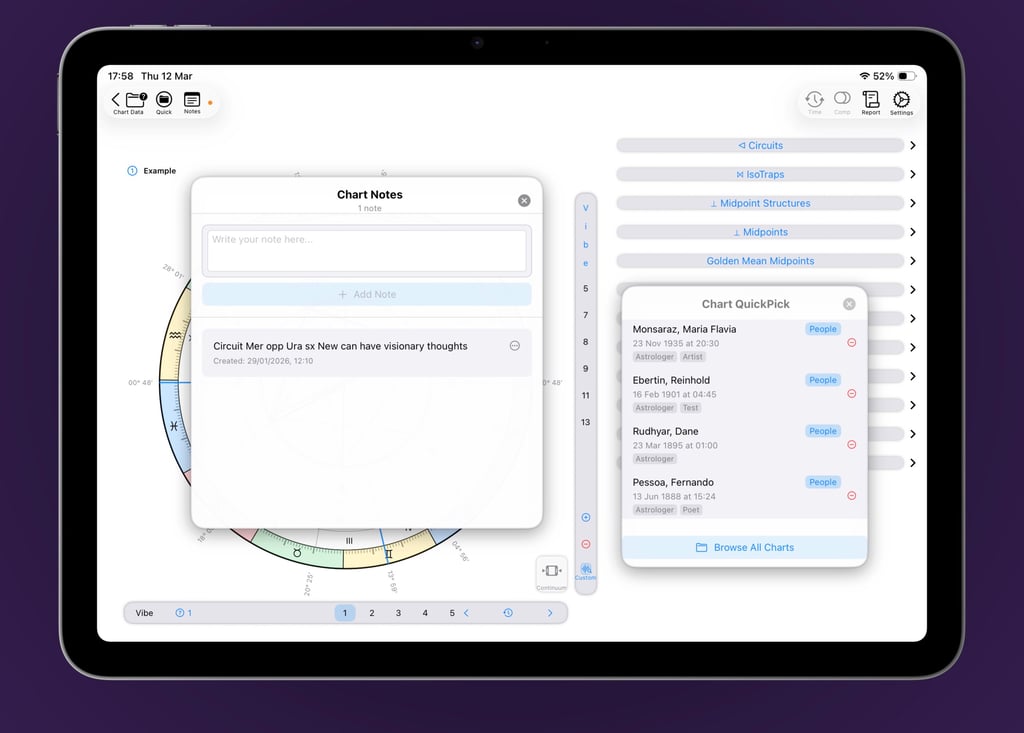
VisualAstro helps you stay organised. Save a curated set of charts in Quick Pick for one-tap access, and keep track of your insights with Notes—fully synchronised across devices via iCloud.
VisualAstro is more than software—it's an ongoing commitment. We believe powerful astrological tools should be accessible to everyone, from seasoned professionals to curious newcomers. That's why the core software is free to download and use, with optional in-app purchases that expand your capabilities—all kept intentionally affordable. We're constantly refining, listening, and building, because the work of exploring the cosmos should never stand still.
Join our server

App development in collaboration with
Santino Mancuso


Privacy Policy
VisualAstro respects your privacy and is committed to protecting your personal data. This privacy policy explains how we collect, use, and safeguard your information when you use our application.
1. Information We Collect
We collect information you provide directly to us when you contact us for support. Chart data, birth dates, times, and locations you enter for astrological calculations are stored locally on your device and are not sent to our servers.
2. How We Use Your Information
We use the information we collect to provide, maintain, and improve VisualAstro, process your purchases, and communicate with you about our services.
3. Data Storage
Your chart data and personal information are stored locally on your device and may be synced to iCloud if you enable iCloud sync. We do not store your personal data on our servers.
4. iCloud Sync
If you enable iCloud sync, your data will be stored in your personal iCloud account and is subject to Apple's privacy policy and terms of service.
5. Third-Party Services
VisualAstro uses Apple's StoreKit for in-app purchases. Payment information is processed by Apple and subject to their privacy policy. We do not have access to your payment details.
6. Location Services
VisualAstro may request location access to help you find your current location for chart calculations. Location data is used only for this purpose and is not stored or transmitted to our servers.
7. Data Security
We implement appropriate security measures to protect your personal information. However, no method of transmission over the internet or electronic storage is 100% secure.
8. Children's Privacy
VisualAstro is rated 4+ and is suitable for users of all ages. We do not knowingly collect personal information from children under 13 without parental consent.
9. Your Rights
You have the right to access, correct, or delete your personal data stored in the app. You can also disable iCloud sync to prevent data from being stored in the cloud.
10. Changes to This Policy
We may update this privacy policy from time to time. We will notify you of any changes by posting the new policy in the app.
11. Contact Us
If you have any questions about this privacy policy, please contact us at info@astroup.net.